

Flash Commands
Save a command
Open Tools → Flash Commands. Add a name, choose bash or sh and enter a command or multi-line script. Commands are saved locally alongside settings; do not put secrets in scripts.
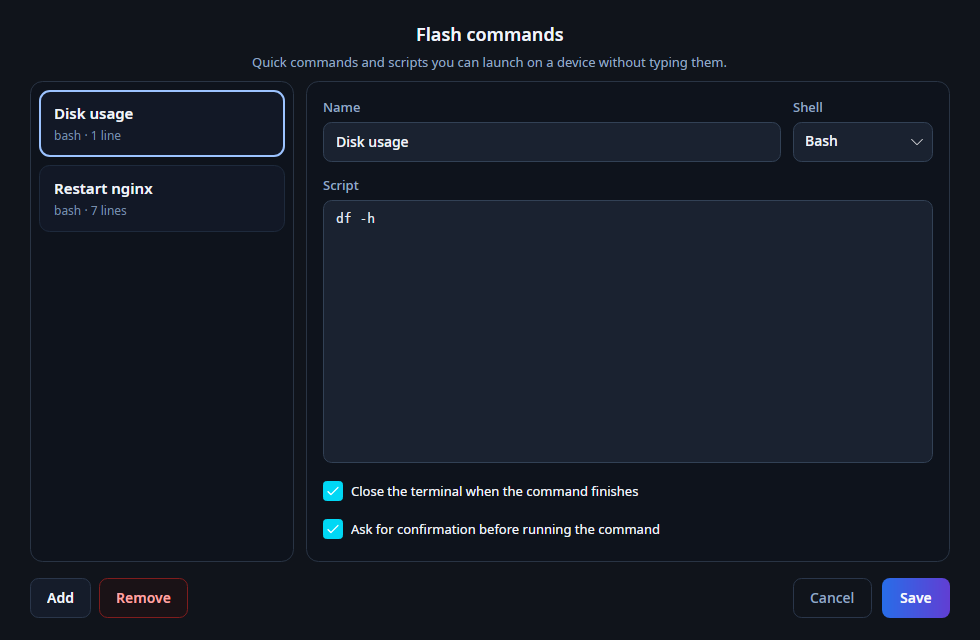
Choose execution options
Enable confirmation when an action needs review. Close-on-finish closes the terminal after completion; leave it off for interactive tools.
Run against a device
Right-click a device or session tab and select the saved Flash Command. SuperCharged opens an SSH terminal and runs it on that host. Verify the target and script before execution.
Run a tool locally
For Ping and other executables installed on your own computer, use Tools. Launch them from the device menu and follow their output in an integrated tab.